Vibe coding is redefining how software is created by transforming our relationship with code. Rather than manually writing out logic and boilerplate, developers now articulate their vision—the “vibe”—to an AI collaborator. This conversational, iterative style lets you focus on what you want the app to do, not just how you make it happen. Especially in the fast-paced world of mobile app development, vibe coding gives you a reliable partner who translates your intent into working code, helping you stay creative and avoid tedious errors.
At its core, vibe coding is a conversational and iterative approach to software development where the primary focus is on clearly articulating the desired outcome—the “vibe”—to an AI partner, which then translates that vision into functional code. This is a departure from traditional coding, where a developer writes every line of logic. It is also more than just using an AI for simple code completion. You provide a high-level prompt, the AI generates a starting point, and you refine it through a series of corrections, clarifications, and further instructions.
This new paradigm is the culmination of decades of increasing abstraction in software development. We first moved from machine code to assembly, then to high-level languages, and now to a level of abstraction where natural language has become our primary interface. The goal remains the same: to build amazing things. The method, however, is becoming more intuitive, more creative, and more human.
Why Mobile Developers Should Care
Mobile app development combines diverse tasks: UI creation, state management, API integration and optimization for performance and platform quirks. Historically, this has meant context-switching between languages (Java/Kotlin for Android, Swift for iOS, or cross-platform stacks like React Native or Flutter) and repeating boilerplate setups.
Vibe coding relieves these pain points:
1. Solving Boilerplate Overload
Boilerplate is the repetitive, standard code that’s required in many places but doesn’t contribute to the core logic of the feature you’re building. It’s the setup, the ceremony, the code you have to write just to get to the starting line.
- Examples:
- Setting up the basic HTML structure (<!DOCTYPE html>, head, body, etc.) in a new file.
- Creating a new React component with the necessary imports, the functional component definition, and the export default line.
- Writing a try…catch…finally block for every API call.
- Configuring a basic Express server with middleware for parsing JSON.
- Writing the getter and setter methods for a class in Java or C#.
Developers have fought this with snippets, custom templates, and copying-and-pasting from other projects. These work, but they are partial solutions that require maintenance and still force the developer to think about the boilerplate structure.
How Vibe Coding Solves It:
Vibe coding transforms boilerplate generation from a manual chore into a single, high-level command. AI development tools have been trained on virtually all public code repositories, so they have a near-perfect understanding of these common patterns.
Instead of writing the code yourself, you simply state your intent.
Practical Example: Creating a New React Component
- Without Vibe Coding:
- Create a new file, UserProfile.jsx.
- Type import React from ‘react’;
- Type import ‘./UserProfile.css’;
- Type const UserProfile = ({ user }) => { … };
- Fill in the basic JSX return: return ( <div>…</div> );
- Type export default UserProfile;
- Now you can finally start writing the actual logic and markup for the profile.
- With Vibe Coding: In your editor, you type a prompt (often as a comment or in a chat window):
Create a new React functional component named UserProfile. It should take a ‘user’ object as a prop, which contains ‘name’, ’email’, and ‘avatarUrl’. Display these in a div.
The AI instantly generates the entire file with all the boilerplate, props, and a logical initial structure for displaying the data.
The cognitive load is reduced from a multi-step mechanical process to a single, descriptive request. The developer’s focus shifts from writing the ceremony to verifying the result, allowing them to jump straight into the creative part of the problem.
2. Alleviating Context-Switching Fatigue
Context switching is the mental penalty developers pay every time they have to shift their focus between different tasks, languages, files, or mental models.This is one of the biggest hidden productivity killers.
- Examples:
- You’re deep in thought crafting a complex Python algorithm, but then you need to tweak some CSS. You have to mentally “unload” the Python logic and “load” the CSS box model, flexbox rules, etc.
- You’re working on the backend API in Node.js and need to write the corresponding fetch call on the frontend. You have to switch from server-side thinking to client-side, remembering the exact syntax for handling promises or async/await in JavaScript.
- You need to use a library you haven’t touched in months and have to leave your editor, open a browser, search for the documentation, and find the specific function you need.
This is just accepted as “part of the job.” Developers manage it with multiple monitors, note-taking apps, and sheer mental brute force, but it inevitably leads to fatigue and a broken “flow state.”
How Vibe Coding Solves It:
Vibe coding tools act as a cognitive buffer, managing the context switch for you so your own mental focus can remain on the primary task. It keeps the necessary information and actions right inside your editor.
- It’s an Instant, Context-Aware Expert: Instead of leaving your editor to look up documentation, you can simply ask the AI.
- Prompt: // How do I format this JavaScript date object into ‘YYYY-MM-DD’ using date-fns?
- The AI provides the exact line of code, importing the function if necessary. You never had to leave your file or lose your train of thought.
- It Bridges the Language/Framework Gap: It can seamlessly translate intent between different parts of the stack.
- Scenario: You just finished an Express route. You can go to your frontend JavaScript file and prompt:
Write a ‘fetch’ function to send a POST request to the ‘/api/products’ endpoint, sending a JSON object with ‘name’ and ‘price’. Handle success and error cases.
The AI generates the client-side code that perfectly matches the backend context you were just in, saving you the mental gear-shifting.
By offloading the repetitive setup and managing the jarring mental shifts between tasks, vibe coding makes development faster and conserves your most valuable resource: focused, creative energy. This allows you to stay in a state of flow for longer, solving bigger problems and producing higher-quality, more thoughtful work.
The Vibe Coder’s Toolkit: Best-in-Class Tools for 2025
The effectiveness of vibe coding is directly tied to the quality of your AI collaborator. Here’s a curated look at the best-in-class options:
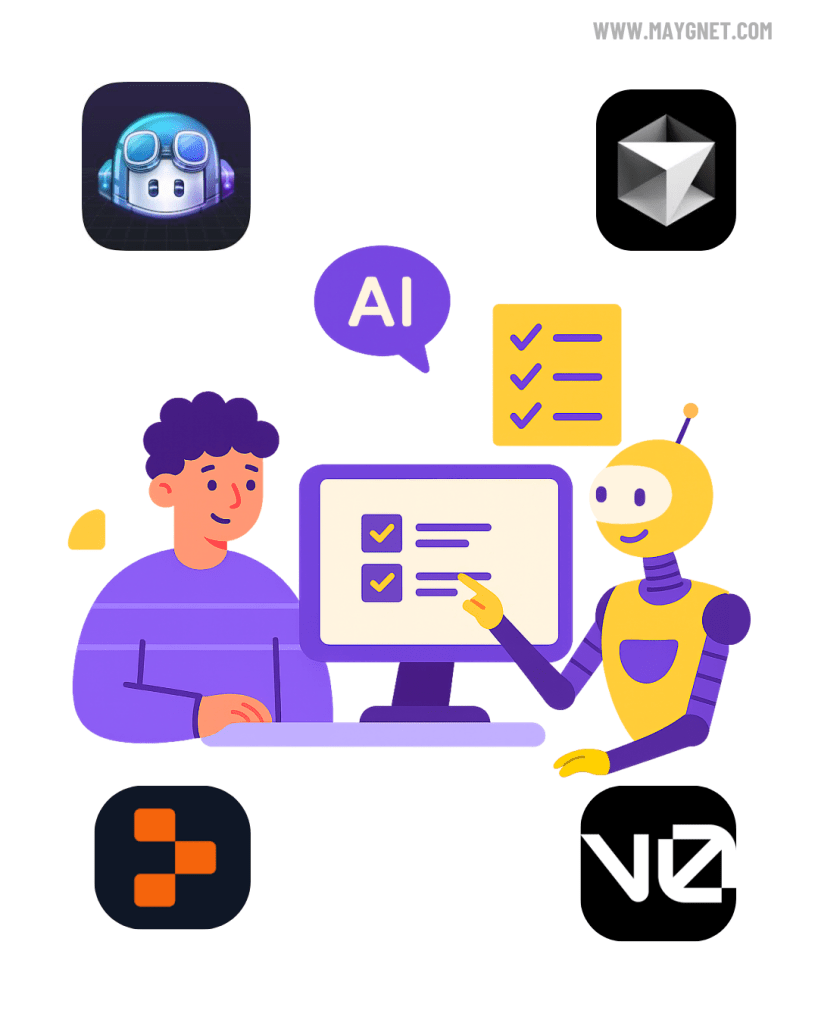
- GitHub Copilot: The reigning champion for its seamless integration into the developer’s natural habitat: the code editor. Copilot excels at understanding the context of your existing code, making its suggestions uncannily relevant. It’s the ever-present pair programmer, ready to suggest the next line, function, or even an entire test suite.
- Best for: Developers who want to augment their existing workflow without leaving their familiar environment.
- Cursor: If Copilot is an integration, Cursor is a dedicated, AI-first code editor. It’s built from the ground up with vibe coding in mind and offers features like “chat with your codebase” that allows you to ask questions and request refactors across multiple files. Its ability to understand and work with your entire project’s context makes it incredibly powerful for complex tasks.
- Best for: Developers ready to fully embrace an AI-native development environment for both new projects and existing codebases.
- v0.dev: A game-changer for front-end development, v0.dev, by Vercel, allows you to generate UI components from text and even image prompts. It leverages a combination of AI models to create not just the code (in React, using Shadcn UI and Tailwind CSS) but also a visual preview. This iterative process of “vibing” a user interface into existence is a prime example of this new development paradigm.
- Best for: Front-end developers and designers looking to rapidly prototype and build beautiful, production-ready UI components.
- Replit: This browser-based, collaborative development environment has fully embraced AI. Replit’s AI features are designed to make coding more accessible and to facilitate a seamless workflow from idea to deployed application. Its collaborative nature means you can “vibe code” with both AI and human team members in real-time, all within your browser.
- Best for: Collaborative projects, quick prototyping, and full-stack development without the need for local environment setup.
A Comparative Perspective: For a front-end developer focused on UI, a combination of v0.dev for component generation and Cursor for integrating that component into a larger project could be a powerful workflow. A full-stack developer might prefer the deep integration of GitHub Copilot within their preferred editor, supplemented by Replit for quick, shareable prototypes and collaborative sessions.
Market Pulse: Who’s Leading the Vibe Coding Revolution?
The market for AI-powered development tools is a hotbed of innovation. Unsurprisingly, tech behemoth Microsoft, with its ownership of GitHub and deep investment in OpenAI, holds a commanding position with GitHub Copilot. Its extensive reach and integration into the daily lives of millions of developers give it a significant advantage.
However, the story doesn’t end there. A vibrant ecosystem of startups is carving out specialized niches and pushing the boundaries of what’s possible. Cursor, for instance, has gained a dedicated following by offering a more holistic, AI-native experience than a simple plugin can provide. The success of tools like v0.dev demonstrates a keen understanding of specific developer needs—in this case, the often-tedious process of UI creation.
This competitive dynamism is fantastic news for developers. The rapid pace of innovation means that the tools are constantly improving, with new features and capabilities being released at a breathtaking speed. The “vibe coding” revolution is not being led by a single entity but is rather a collective push from both established players and agile newcomers.
Building on a Budget: Generous Free Tiers for Complex Projects
One of the most exciting aspects of the current AI tool landscape is the accessibility offered through generous free tiers. You can, in fact, build and deploy a surprisingly complex full-stack application without paying a dime. Here’s how the free offerings of our highlighted tools stack up:
- GitHub Copilot: While the full version of Copilot requires a subscription, it is often available for free to verified students and maintainers of popular open-source projects. For others, there is a one-time 30-day free trial to experience its full capabilities.
- Cursor: Cursor’s free tier is quite generous. It allows for a substantial number of “slow” prompts (using models like GPT-4) per month and unlimited “fast” prompts (using less powerful but still capable models). You can also integrate your own OpenAI API key for more control. For a solo developer or a small team, the free tier is more than enough to build a serious project.
- v0.dev: The free plan for v0.dev is based on a credit system. You are given a generous allotment of credits to start, and these credits are consumed as you generate and iterate on components. For occasional use and smaller projects, the free credits are ample. You can earn more credits through various means, including making your generated components public.
- Replit: Replit’s free “Starter” plan is a powerhouse. It allows you to create and host an unlimited number of public projects (or “Repls”). While there are limitations on compute power and memory compared to the paid plans, you can absolutely build and deploy a full-stack application, including a web server and a database, that can handle a moderate amount of traffic.
The Ultimate Free-Tier Full-Stack Combo: For a developer on a budget, a winning combination would be:
- Replit as the all-in-one development environment and hosting platform.
- Cursor’s free tier for the core AI-powered coding and refactoring.
- v0.dev’s free credits to generate the initial front-end components.
This stack allows you to leverage best-in-class AI for the entire development lifecycle, from UI creation to backend logic and deployment, all for free.
The Vibe Coder’s Manifesto: Best Practices for Superior Output
Vibe coding is a skill, and like any skill, it requires practice and a set of guiding principles to master. Here are some best practices to help you get the most out of your AI coding partner:
- Start with a Clear Vision: The quality of your output is directly proportional to the clarity of your input. Before you write a single prompt, have a well-defined idea of what you want to achieve. Sketch it out, write it down, do whatever it takes to solidify the “vibe” in your own mind first.
- Iterate and Refine: Your first prompt will rarely yield the perfect result. Think of the initial output as a starting point. Vibe coding is a conversation. Guide the AI, correct its mistakes, and provide feedback to incrementally shape the code to match your vision.
- Don’t Trust Blindly: The Human in the Loop: This is the golden rule. The AI is your co-pilot, not the pilot. You are still the developer in charge. You must review, understand, and test every line of generated code. The AI can make mistakes, introduce subtle bugs, or use inefficient patterns. Your expertise is the ultimate quality gate.
- Version Control is Your Safety Net: The experimental nature of vibe coding makes Git and frequent commits non-negotiable. Before a major AI-driven refactor, commit your working code. If the AI takes you down a rabbit hole, you can easily revert to a known good state.
- Think in Components: Don’t ask the AI to build your entire application in one go. Break down complex problems into smaller, manageable, and well-defined chunks. Ask it to create a specific function, a single component, or a particular API endpoint. This leads to more accurate and useful results.
Prompt Like a Pro: Engineering High-Fidelity Code
The art of crafting effective prompts is central to successful vibe coding. Here are some techniques to elevate your prompting game:
- Be Specific and Explicit:
- Vague Prompt: “Create a function to validate a user.”
- Detailed Prompt: “Create a Python function named validate_user_input that takes username, email, and password as arguments. The username must be alphanumeric and between 3 and 16 characters. The email must be a valid email format. The password must be at least 8 characters long and contain at least one uppercase letter, one lowercase letter, and one number. The function should return True if all inputs are valid, and False otherwise.”
2. Provide Context:
Give the AI information about your existing codebase, the libraries you’re using, and your desired coding style.
- Example: “Using the requests library in Python, write a function to fetch user data from the /api/users/{user_id} endpoint. The base URL is stored in a variable called API_BASE_URL. Handle potential requests.exceptions.RequestException and return the user’s name if the request is successful, otherwise return None.”
3. The Power of ‘Show, Don’t Just Tell’
Provide examples of the desired input and output.
- Example: “Write a JavaScript function that takes an array of objects and formats it into a string. For example, if the input is [{ name: ‘Alice’, id: 1 }, { name: ‘Bob’, id: 2 }], the output should be ‘Alice (ID: 1), Bob (ID: 2)’.”
4. Chain-of-Thought Prompting for Code
Ask the AI to “think step-by-step” to break down a problem before generating the code. This often leads to more robust and well-structured results.
- Example: “I need to create a React component that displays a list of products. First, explain the necessary state variables. Second, outline the function to fetch the product data from an API. Third, describe the JSX structure to render the list. Finally, write the complete component code.”
5. Leverage System Prompts and Personas:
Instruct the AI to adopt a specific persona. This can significantly improve the quality and relevance of the generated code.
- Example: “You are a senior full-stack developer specializing in TypeScript and Node.js. Your code is clean, efficient, and well-documented. Now, write an Express.js route to handle a POST request for creating a new product.”
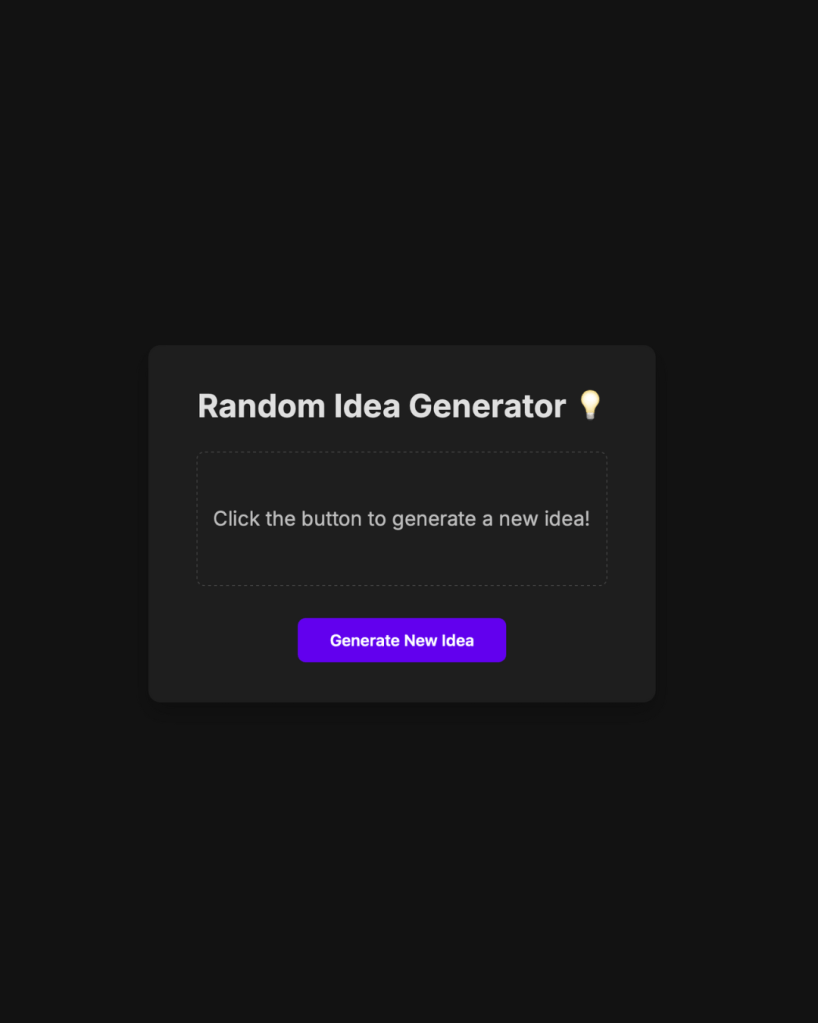
Example Prompt for a Simple Web App:
You are an expert web developer who specializes in creating clean, single-file web applications using HTML, CSS, and vanilla JavaScript.
Your task is to create a simple “Idea Generator” web app.
Here’s the plan, think step-by-step:
1. **HTML Structure:** Create a basic HTML5 boilerplate. It should include a main container, a heading that says “Random Idea Generator”, a button with the text “Generate New Idea”, and a paragraph element with an id of `idea-display` where the generated idea will be shown.
2. **CSS Styling:** The page should have a dark theme. The container should be centered on the page. Use a modern, clean font like ‘Inter’ from Google Fonts. The button should have a distinct, clickable style with a hover effect. The `idea-display` paragraph should have a slightly larger font size.
3. **JavaScript Logic:**
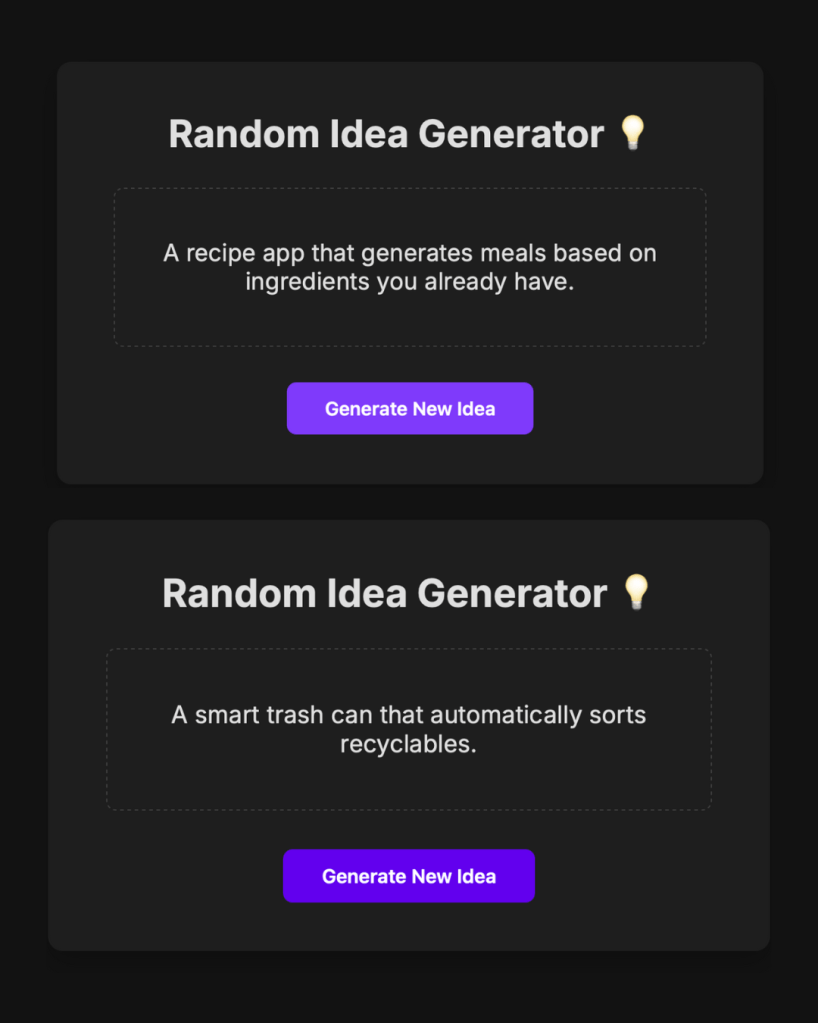
* Create an array of at least 10 interesting, short ideas (e.g., “A social network for pets,” “A subscription box for rare spices”).
* Write a function that selects a random idea from this array.
* Add an event listener to the button. When clicked, it should call the random idea function and update the text content of the `idea-display` paragraph with the new idea.
* Make sure the JavaScript is placed in a `<script>` tag at the end of the `<body>`.
Now, generate the complete HTML file with the CSS in a `<style>` tag in the `<head>` and the JavaScript in a `<script>` tag at the end of the `<body>`.
App generated by Gemini Pro 2.5 Model :
Conclusion: Your Partner in Creation
Vibe coding is more than a fleeting trend; it’s an evolution in the developer experience. It’s about augmenting your creativity and productivity, allowing you to focus on the bigger picture while your AI partners handle the intricate details of implementation. The future of software development isn’t about replacing developers; it’s about empowering them with tools that were once the stuff of science fiction.
Embracing vibe coding doesn’t mean abandoning the fundamentals. In fact, a strong understanding of programming principles, architecture, and debugging is more crucial than ever. It’s what allows you to effectively guide the AI, evaluate its output, and ultimately, remain the architect of the systems you build.
 Maygnet
Leave a comment